How to change a song from 440 Hz to 432 Hz, and check what it’s really tuned to
Not every song is tuned to A = 440 Hz, and that changes how far it needs to move to reach 432 Hz. This guide shows how to check a recording’s real tuning with FourThirtyTwo’s on-device Auto-detect, then set the exact source and target.
Quick steps
- Import the song. The source starts as Assumed 440 Hz.
- Tap the source frequency, then Auto-detect, or type the tuning if you already know it.
- Check the target is 432 Hz, or choose another preset or Custom…
- Tap Create 432 Hz File.
Why the source tuning matters
“Converting to 432 Hz” means moving the recording’s reference pitch, the A above middle C, to 432 Hz. How far to move it depends on where it starts. Most modern pop and rock is close to 440 Hz, but many orchestras tune to 442 Hz or higher, older recordings drift, and some music is already at 432. If a song is really at 442 Hz and you treat it as 440, your “432 Hz” copy ends up near 434 Hz.
| Recording’s real tuning | Correct shift to 432 Hz | Result if you assume 440 Hz |
|---|---|---|
| 432 Hz | none | 424.1 Hz |
| 435 Hz | −12.0 cents | 427.1 Hz |
| 440 Hz | −31.8 cents | 432.0 Hz |
| 442 Hz | −39.6 cents | 434.0 Hz |
| 444 Hz | −47.4 cents | 435.9 Hz |
The bigger the gap between source and target, the bigger the shift: 440 to 432 is 31.8 cents, a bit under a third of a semitone.
Step by step
-
Import the song
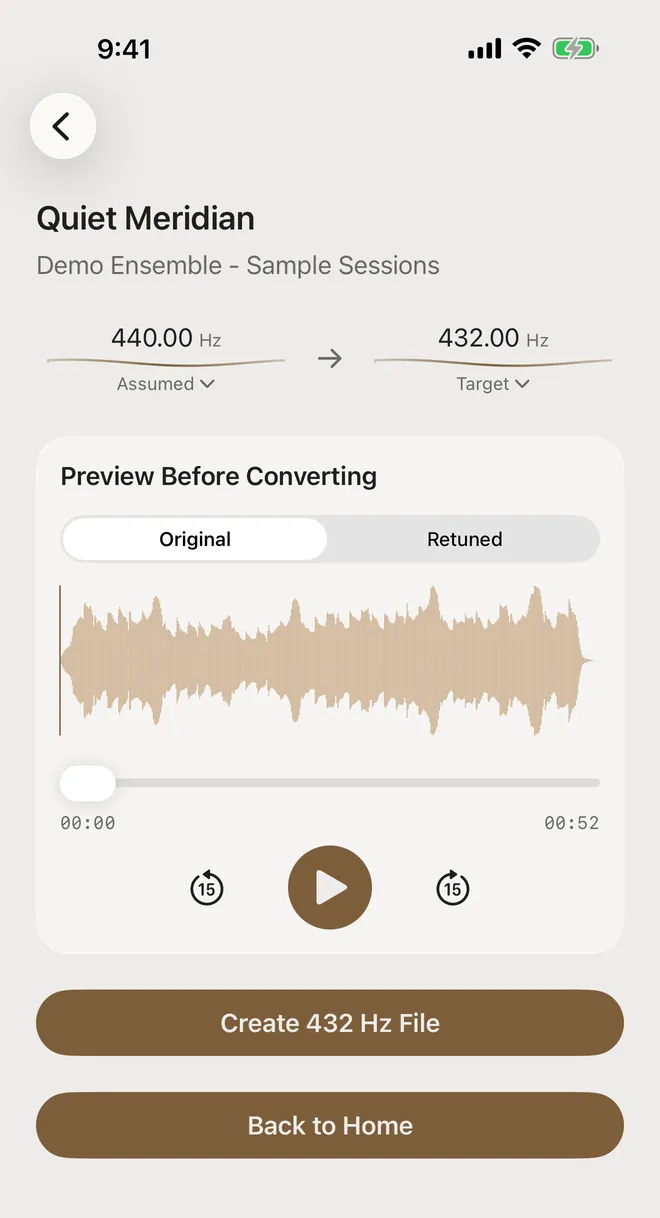
Import it from Files or Music as usual (the full walkthrough covers this). The convert screen shows the source as Assumed 440.00 Hz. It’s labelled “Assumed” because the app hasn’t analyzed anything yet.
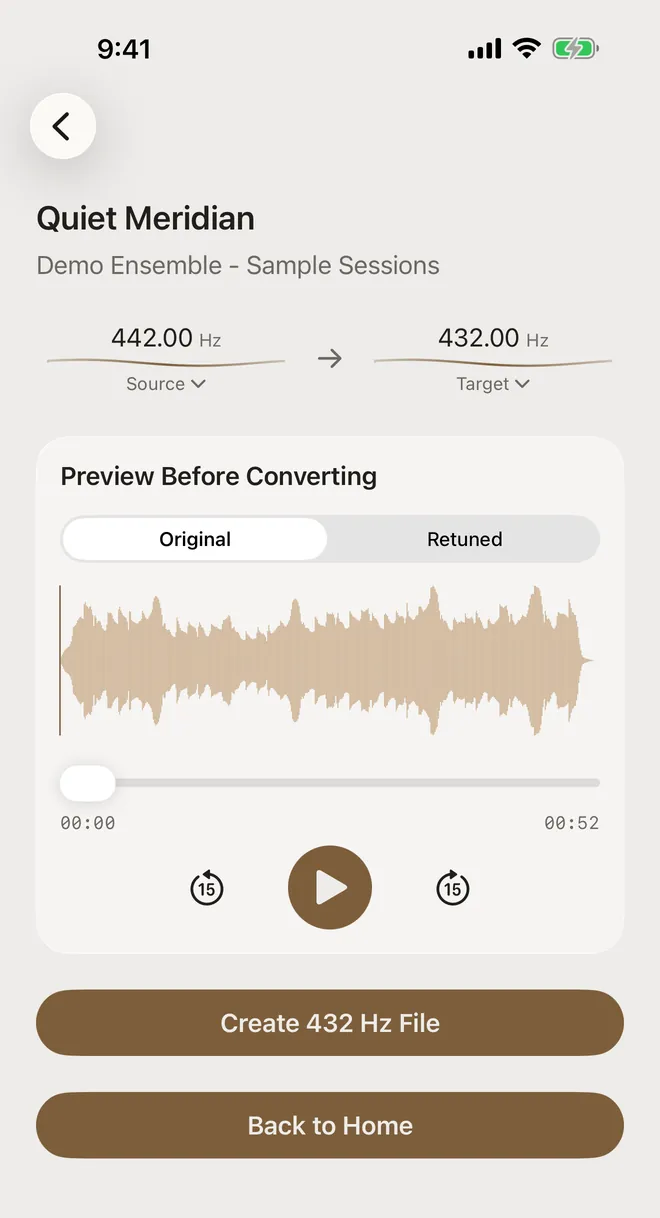
This example, “Quiet Meridian”, was actually tuned to A = 442 Hz.
-
Open the source tuning
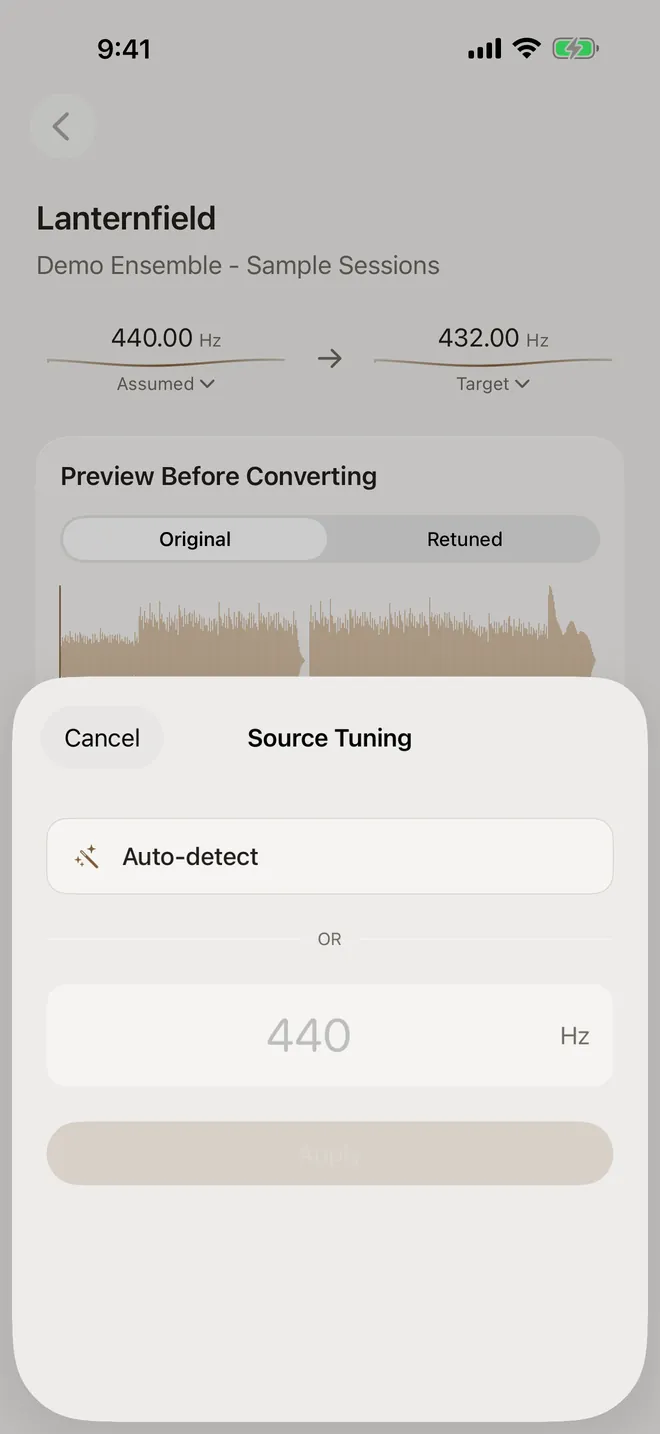
Tap the source frequency. The Source Tuning sheet gives you two options:
- Auto-detect analyses the audio on the device and estimates its reference pitch.
- Type a value between 300 and 600 Hz and tap Apply, if you know the tuning from liner notes, your own session or a tuner.
-
Run Auto-detect
Tap Auto-detect. After a moment the label changes from Assumed to Source and shows the estimate. For “Quiet Meridian” it found 442.00 Hz, exactly what the file was tuned to. Creating the 432 Hz file now applies the correct shift of 39.6 cents instead of 31.8.
While it’s measuring, the source value shows a spinner and Create 432 Hz File waits. Once it’s done you can re-run detection or override it at any time by tapping the source value again.
-
Choose the target
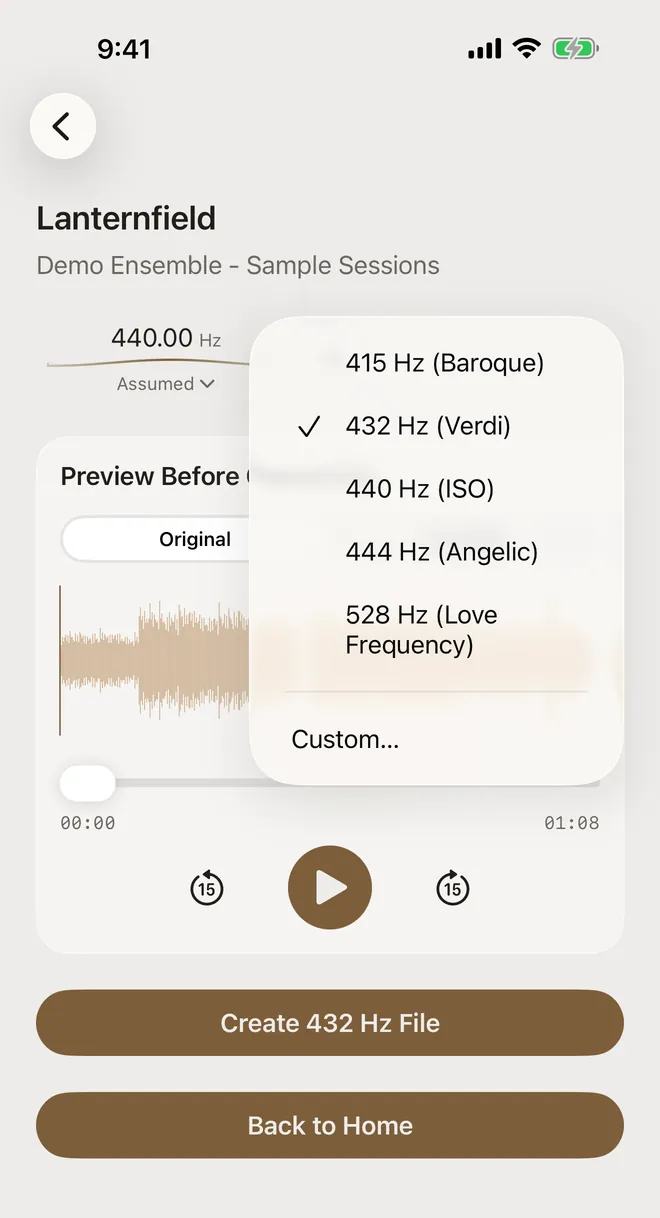
Tap the Target frequency to open the presets: 415 Hz (Baroque), 432 Hz (Verdi), 440 Hz (ISO), 444 Hz (Angelic) and 528 Hz (Love Frequency). Choose Custom… to enter any A4 frequency from 300 to 600 Hz, including decimals. The preview updates straight away, so you can listen before you commit.
-
Or set a custom value
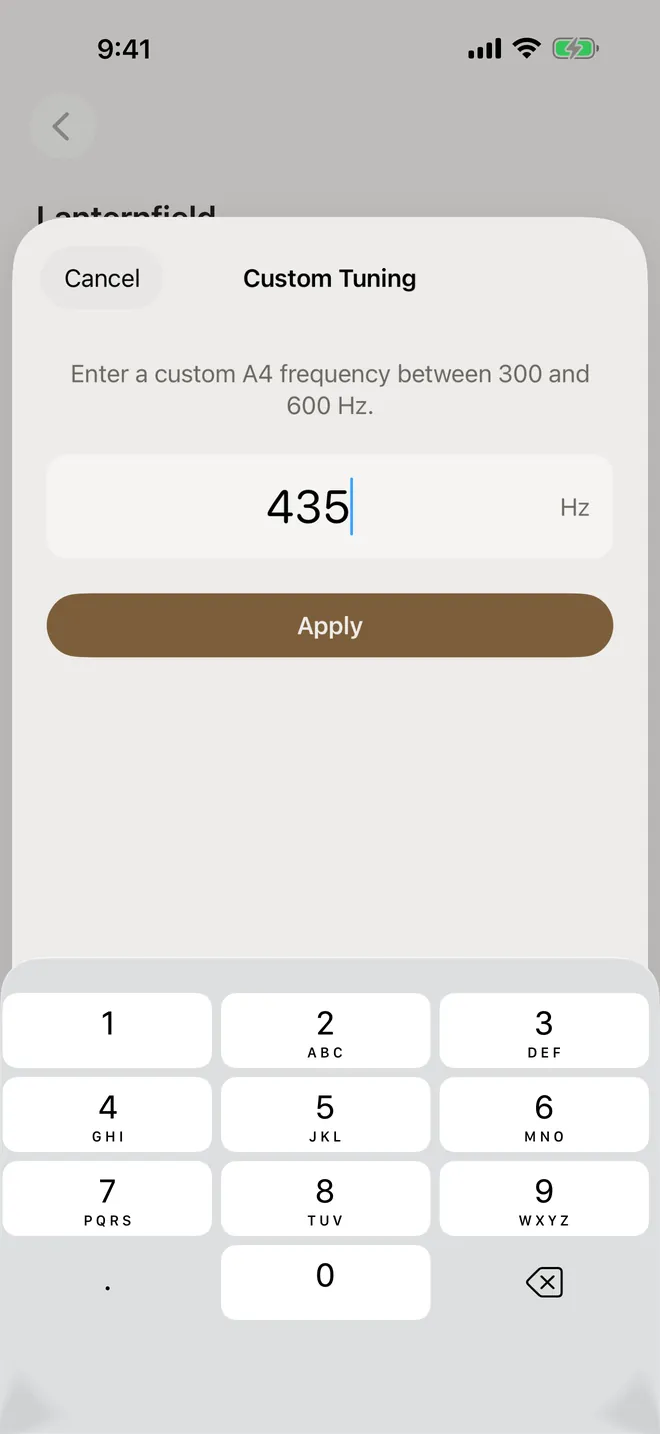
In Custom Tuning, type the frequency (435 Hz in this example) and tap Apply. The create button then shows your number, for example Create 435 Hz File.
-
Create the file
Tap Create 432 Hz File, then keep it in the library or export it.
The result, measured
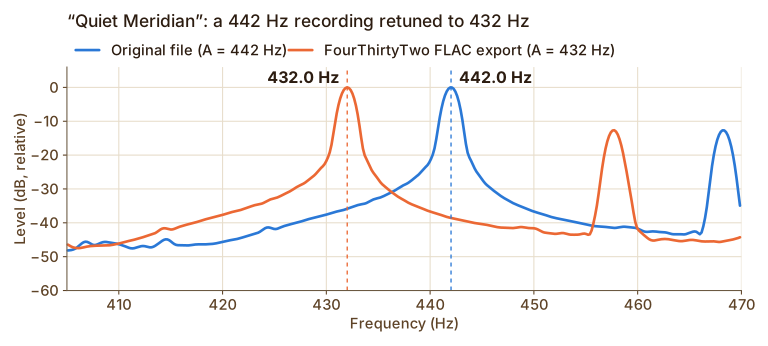
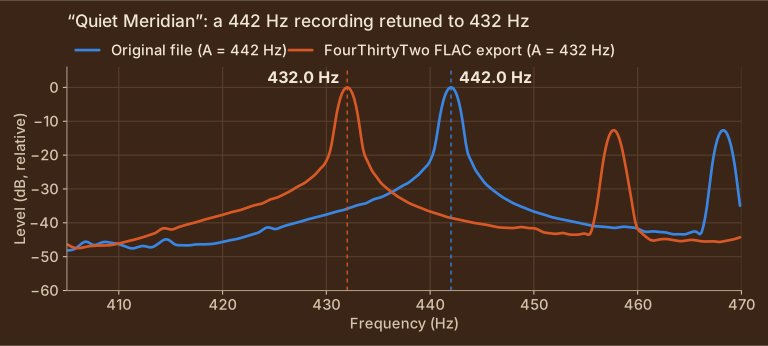
Here’s the 442 Hz recording before and after, measured from the FLAC file FourThirtyTwo exported:
Show the measured values
| Measurement | Original | FourThirtyTwo export |
|---|---|---|
| A4 peak frequency | 442.0 Hz | 432.0 Hz |
| Overall pitch change | n/a | −39.7 cents (expected −39.6 cents) |
| Length | 0:52.000 | 0:52.000 |
How accurate is Auto-detect?
Auto-detect looks at the pitched notes across the whole song and finds the tuning they agree on. It sets aside the overtones that naturally sit between the notes of the scale, so rich sounds like organ, strings and distorted guitar don’t pull the estimate off.
We tested it on 14 tracks we made for this purpose, tuned from 430 to 450 Hz in 14 styles, from solo piano and pipe organ to detuned synths, vibrato-heavy vocals, a choir singing in just intonation and 808 bass. Every result was within 0.2 Hz of the true tuning, less than 1 cent. For scale, near 440 Hz 1 Hz is about 4 cents, and the move from 440 to 432 Hz is 32 cents.
| File | Style | True tuning | Auto-detect | Difference |
|---|---|---|---|---|
| Cathedral Air.mp3 | Pipe organ | 430 Hz | 430.0 Hz | +0.0 cents |
| Porch Light.mp3 | Strummed guitar | 432 Hz | 432.1 Hz | +0.4 cents |
| Slow Tide.flac | Ambient bells | 435 Hz | 435.0 Hz | +0.0 cents |
| Night Circuit.mp3 | Electronic, detuned synths | 436 Hz | 436.1 Hz | +0.4 cents |
| Blue Hour.mp3 | Vocal ballad with vibrato | 437 Hz | 437.1 Hz | +0.4 cents |
| Paper Orchard.wav | Drum groove | 438 Hz | 437.9 Hz | −0.4 cents |
| Lanternfield.mp3 | Piano ballad | 440 Hz | 440.1 Hz | +0.4 cents |
| Evensong.mp3 | Choir in just intonation | 441 Hz | 441.1 Hz | +0.4 cents |
| Quiet Meridian.m4a | Pads and bells | 442 Hz | 442.0 Hz | +0.0 cents |
| Late Set.mp3 | Jazz trio | 443 Hz | 443.1 Hz | +0.4 cents |
| Copper Morning.mp3 | Piano étude | 444 Hz | 444.2 Hz | +0.8 cents |
| Iron Hollow.mp3 | Distorted rock | 446 Hz | 446.1 Hz | +0.4 cents |
| Four Rooms.mp3 | String quartet with vibrato | 448 Hz | 448.0 Hz | +0.0 cents |
| Concrete Bloom.mp3 | Hip-hop, 808 bass | 450 Hz | 450.0 Hz | +0.0 cents |
Download the test tracks (ZIP, 23 MB) and try them yourself. The included README lists each file’s true tuning.
A few things to keep in mind:
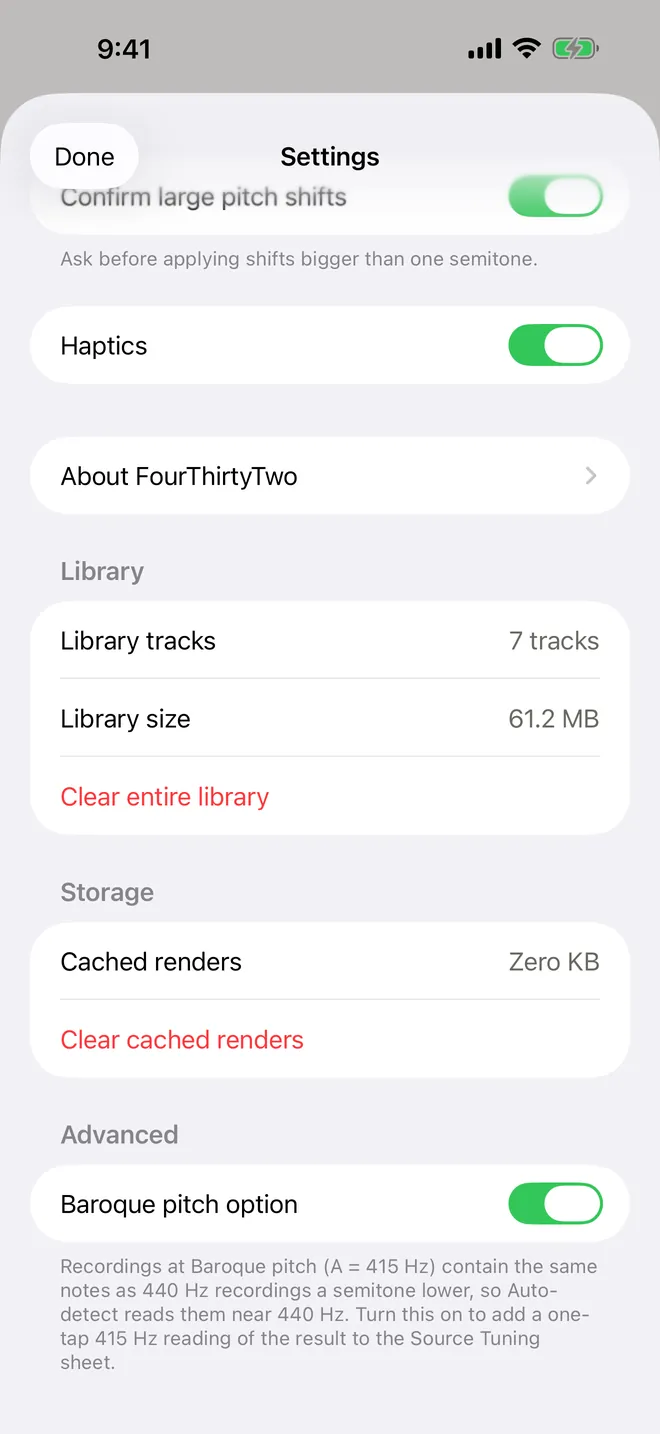
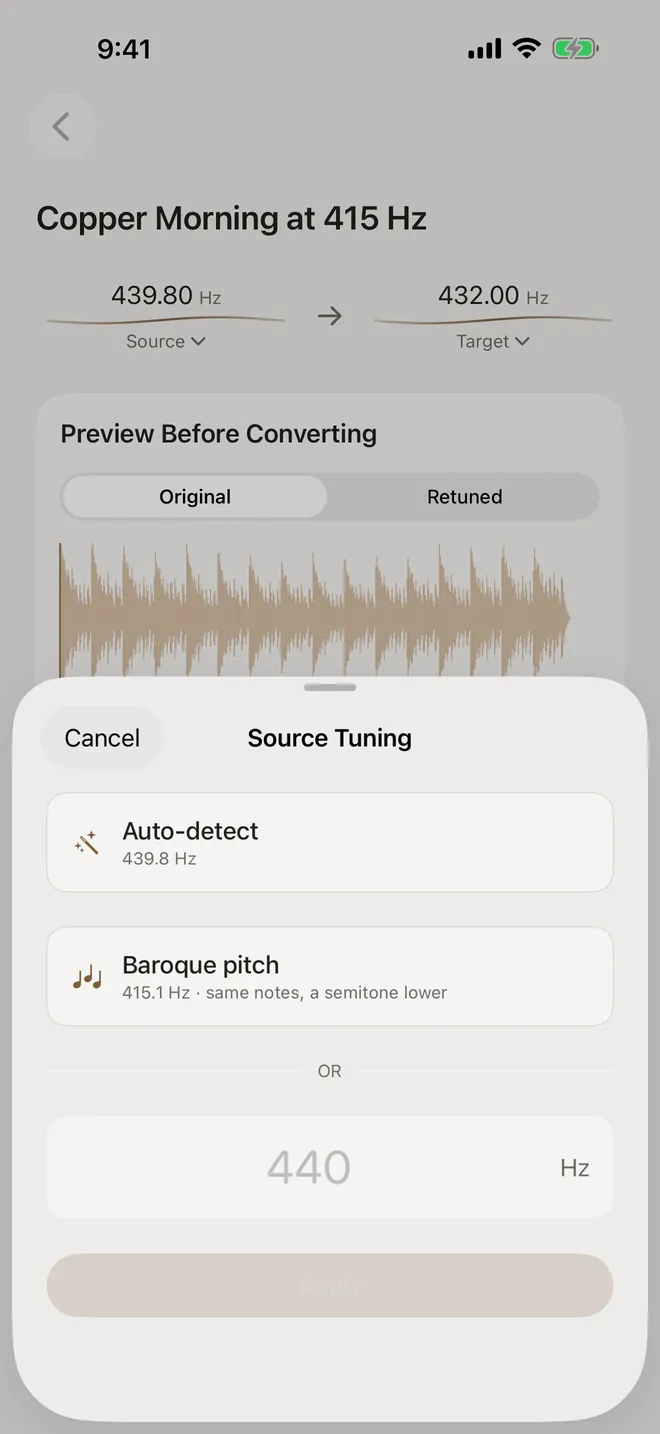
- Tunings repeat every semitone. Auto-detect reports a value between about 427.5 and 452.9 Hz. A Baroque recording at A = 415 Hz sits a whole semitone below 440, so its notes line up with a 440 Hz grid and it reads as about 440 Hz. If you work with Baroque recordings, turn on Settings › Advanced › Baroque pitch option. Once Auto-detect has run, the Source Tuning sheet also offers Baroque pitch: the same result read a semitone lower. Tap it to use that as the source. For a version of “Copper Morning” we rendered at A = 415 Hz, Auto-detect read 439.8 Hz and the Baroque pitch row offered 415.1 Hz. The Baroque pitch guide explains which to choose.
- It needs pitched notes. Drum-only tracks, noise and speech have no real tuning to find, so the result for them is only a rough guess. If a clip is too short or too quiet to measure at all, the app says “Couldn’t detect the tuning.” and leaves the source tuning as it was. You can type it in instead.
- Live recordings can drift. If the pitch wanders during a song, Auto-detect reports the tuning most of the song sits at.
- You can always override it. If you know the real tuning from liner notes or your own session, typing it in is the most direct option.
About the audio in these screenshots. The tracks (“Lanternfield”, “Quiet Meridian” and friends by “Demo Ensemble”) are short original pieces synthesized for these guides and saved as ordinary MP3, M4A, WAV and FLAC files. They’re part of our tuning test set, which you can download. Everything else is real: the app imported them through the normal Files picker, analyzed and converted them on the device, and the charts are measured from the exact files it exported.
Is 432 Hz the “right” tuning?
There isn’t a single correct concert pitch. 440 Hz became the common international standard in the 20th century (ISO 16). Historically, pitch varied widely, and many Baroque ensembles still play at 415 Hz. Choosing 432 Hz is a matter of taste. FourThirtyTwo doesn’t make health or scientific claims about any tuning. It helps you hear the difference and convert accurately.
Try it on your own music
FourThirtyTwo is a one-time purchase for iPhone and iPad. No subscription, no account, and your audio never leaves your device.


Requires iOS or iPadOS 18 or later.
More guides
- Convert music to 432 Hz on iPhone and iPadThe complete walkthrough: import a song, preview it, create the 432 Hz file, and keep or export it.
- Batch convert an album or folder to 432 HzQueue many files or a ZIP, auto-detect each track’s tuning, and convert them in one pass.
- Compare 432 Hz vs 440 Hz before convertingFlip between the original and a 432 Hz preview while the song plays, and decide with your ears.
- Export 432 Hz music as FLAC, ALAC, or MP3Pick the right format (MP3, AAC, ALAC, FLAC or WAV) and save it to Files or share it.
- Baroque pitch and 415 Hz recordingsWhy Auto-detect can’t tell 415 Hz from 440 Hz, and how to pick the right reading before converting.