How to convert music to 432 Hz on iPhone and iPad
FourThirtyTwo retunes a song from the standard A = 440 Hz to A = 432 Hz, or any pitch from 300 to 600 Hz, and saves a new copy on your device. These are the complete steps, with screenshots from the app converting a real file.
Quick steps
- Tap Import from Files and choose a song.
- Check the source tuning. The app assumes 440 Hz. Tap it to run Auto-detect.
- Leave the target at 432 Hz, press play and compare Original and Retuned.
- Tap Create 432 Hz File.
- Tap Add to Library, or Export to save it to Files.
Before you start
- FourThirtyTwo on an iPhone or iPad running iOS or iPadOS 18 or later. The steps are the same on both.
- An audio file you can open. MP3, M4A/AAC, WAV, AIFF, CAF and FLAC all work, up to 500 MB per file. It can be in the Files app (On My iPhone, iCloud Drive or another location) or a downloaded, non-DRM song in your Music library.
- Not Apple Music streams. Apple Music subscription tracks are copy-protected (DRM), and iOS doesn’t let any app change them. Songs you bought DRM-free, your own recordings and ordinary audio files are fine.
Step by step
-
Import a track
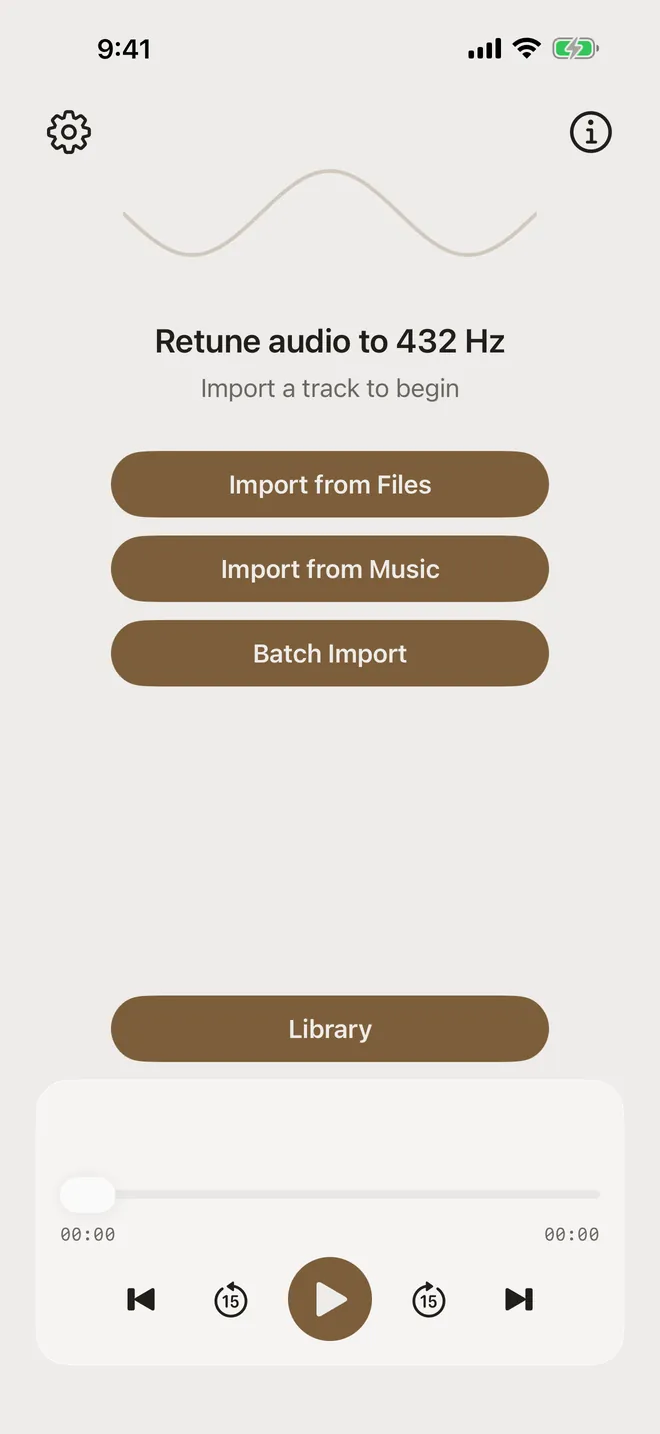
On the home screen, tap Import from Files. To use a downloaded song from your Music library, tap Import from Music instead. To convert several songs at once, see batch converting.
-
Pick the file
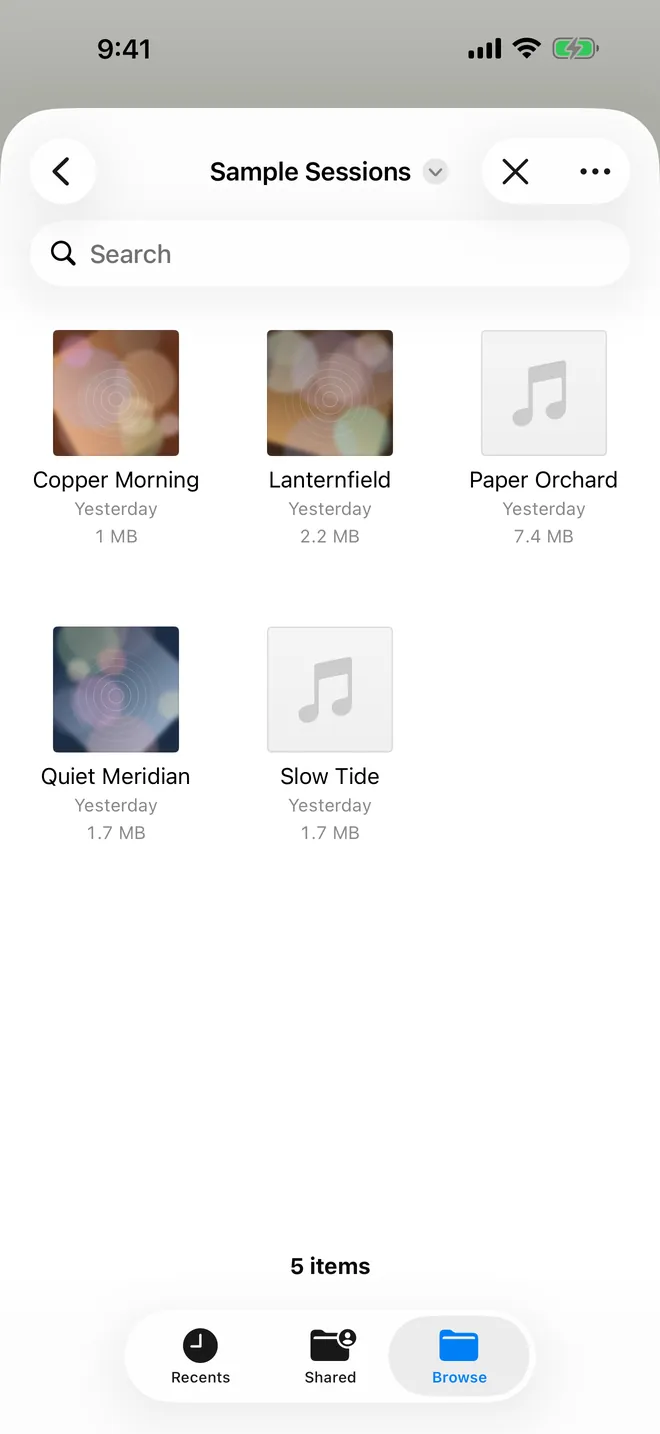
The standard iOS file picker opens. Browse to your song (here On My iPhone › Sample Sessions) and tap it.
FourThirtyTwo reads the file where it is. Your original stays exactly as it was, and the app writes a separate retuned copy.
-
Check the source and target tuning
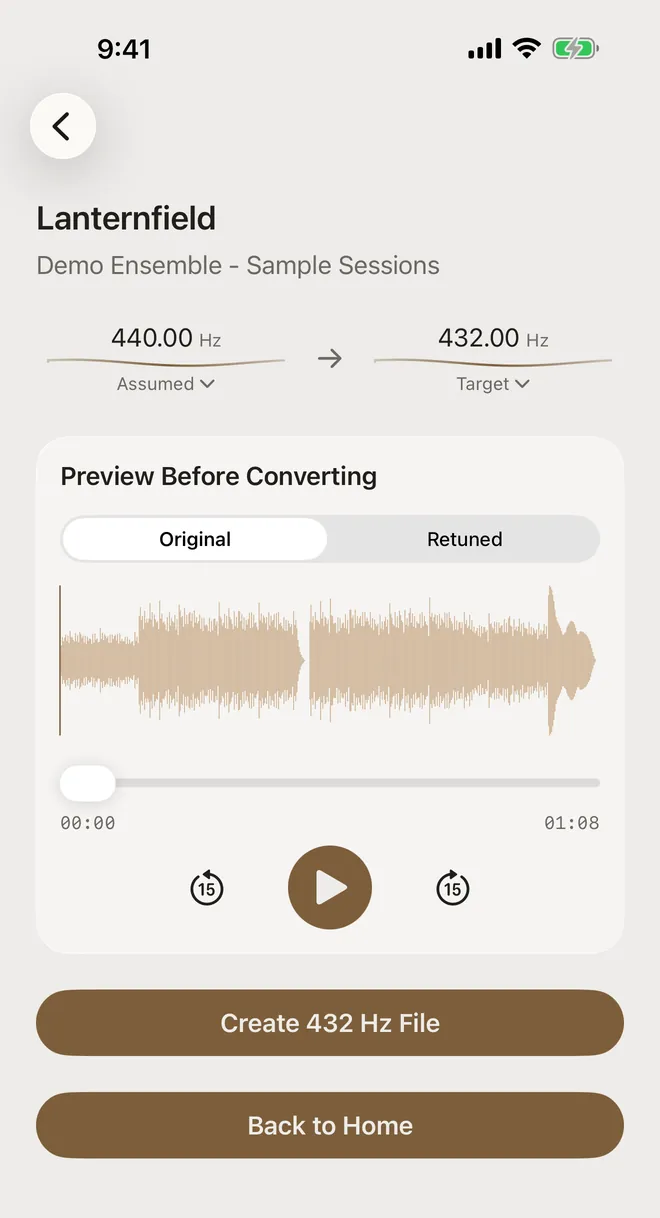
The convert screen shows the track’s waveform and two frequencies. On the left is the source, labelled Assumed 440.00 Hz because every import starts from the standard A = 440 Hz. On the right is the Target, 432.00 Hz.
If you’re not sure the recording really is at 440 Hz, tap the source value and choose Auto-detect. Here’s why that matters.
-
Preview before you convert
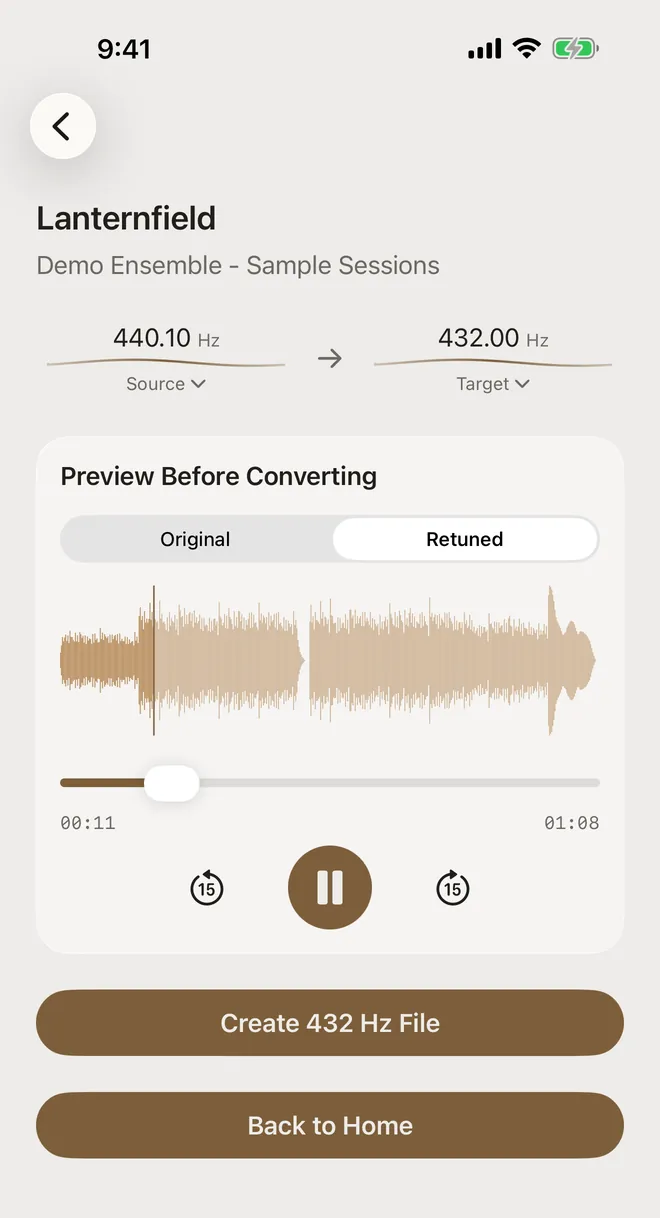
Press play, then switch between Original and Retuned while the music plays. Only the pitch changes. The song keeps playing from the same spot. Use the scrubber or the 15-second skip buttons to jump around. There’s more on this in comparing 432 Hz and 440 Hz.
-
Create the 432 Hz file
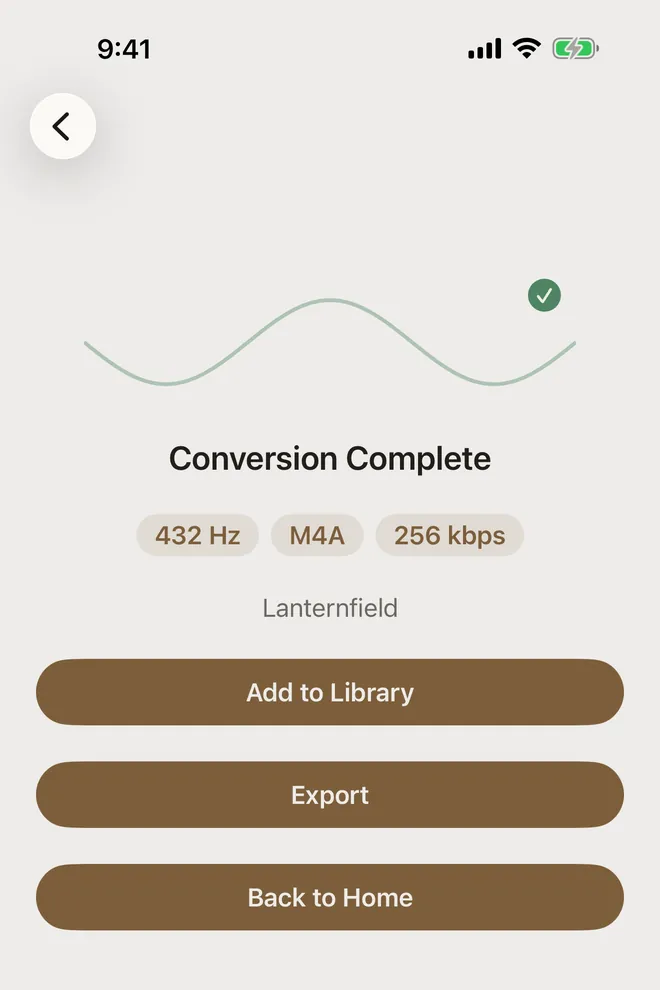
Tap Create 432 Hz File. For a typical song this takes seconds, and all the processing happens on the device. When it’s done you’ll see Conversion Complete with the file’s details. Here that’s 432 Hz, M4A, 256 kbps, which is the default output format. You can change the default in Settings.
-
Keep it or export it
Tap Add to Library to keep the track in the app’s Library, where you can play it and edit its title and artist. Tap Export to choose MP3, M4A AAC, lossless ALAC, FLAC or WAV and Save to Files or Share…. The new file is named after the original with the target added, for example
Lanternfield (432 Hz). See exporting as FLAC, ALAC or MP3.
What “converting to 432 Hz” actually does
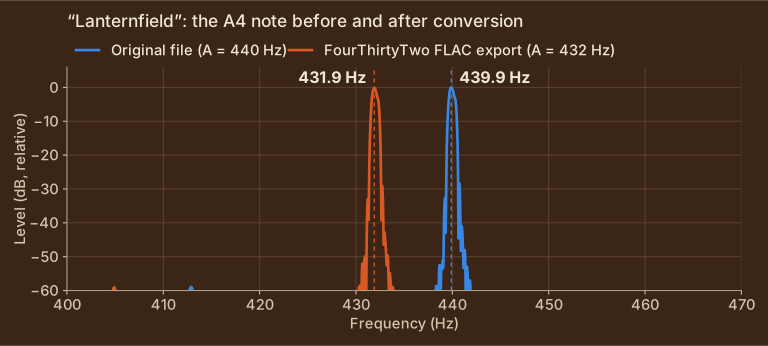
Converting doesn’t swap out individual notes. It lowers every frequency in the recording by the same ratio, 432 ÷ 440 ≈ 0.982. In musical terms that’s 31.8 cents lower, about a third of a semitone. FourThirtyTwo uses phase-vocoder pitch shifting, so the tempo and length don’t change. It’s the same performance at a slightly lower pitch.
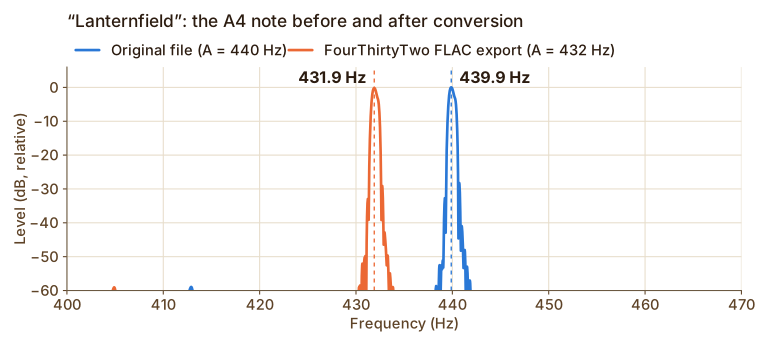
We checked this on the file from the steps above, comparing the original MP3 with the FLAC that FourThirtyTwo exported:
Show the measured values
| Measurement | Original | FourThirtyTwo export |
|---|---|---|
| A4 peak frequency | 439.9 Hz | 431.9 Hz |
| Overall pitch change (whole file) | n/a | −31.5 cents (expected −31.8 cents) |
| Length | 2,998,800 samples (1:08.000) | 2,998,800 samples (1:08.000) |
Show the measured values
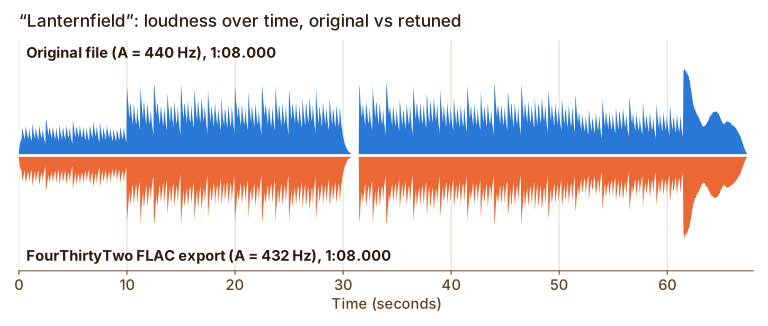
| Timing offset between the two envelopes | 0 ms |
| Envelope correlation (1.0 = identical shape) | 0.997 |
| Length, original → export | 1:08.000 → 1:08.000 |
About the audio in these screenshots. The tracks (“Lanternfield”, “Quiet Meridian” and friends by “Demo Ensemble”) are short original pieces synthesized for these guides and saved as ordinary MP3, M4A, WAV and FLAC files. They’re part of our tuning test set, which you can download. Everything else is real: the app imported them through the normal Files picker, analyzed and converted them on the device, and the charts are measured from the exact files it exported.
Good to know
- 432 Hz is a preference, not a fix. Some listeners like how music sounds a little lower. Others hear little difference. FourThirtyTwo doesn’t claim any health or other benefits. It just makes the conversion easy and accurate.
- Other targets work too. Presets cover 415, 432, 440, 444 and 528 Hz, and you can enter any custom value from 300 to 600 Hz. If a change is bigger than one semitone, the app asks you to confirm first. You can turn that off in Settings.
- Private and offline. There’s no account and no upload. Import, analysis, preview and conversion all run on your iPhone or iPad.
Try it on your own music
FourThirtyTwo is a one-time purchase for iPhone and iPad. No subscription, no account, and your audio never leaves your device.


Requires iOS or iPadOS 18 or later.
More guides
- Change a song from 440 Hz to 432 HzCheck a recording’s real tuning with Auto-detect, then set the exact source and target pitch.
- Batch convert an album or folder to 432 HzQueue many files or a ZIP, auto-detect each track’s tuning, and convert them in one pass.
- Compare 432 Hz vs 440 Hz before convertingFlip between the original and a 432 Hz preview while the song plays, and decide with your ears.
- Export 432 Hz music as FLAC, ALAC, or MP3Pick the right format (MP3, AAC, ALAC, FLAC or WAV) and save it to Files or share it.
- Baroque pitch and 415 Hz recordingsWhy Auto-detect can’t tell 415 Hz from 440 Hz, and how to pick the right reading before converting.