432 Hz vs 440 Hz: how to compare them yourself before converting
The difference between 440 Hz and 432 Hz is subtle, so the best way to choose is to hear the same passage both ways. FourThirtyTwo’s live A/B preview lets you switch between the original and a retuned version while the song plays, before any file is written.
Quick steps
- Import a song you know well.
- In Preview Before Converting, press play.
- Tap Retuned and Original to switch while it plays.
- Try other targets from the Target menu, then create the file you prefer.
How big is the difference?
Small. Going from A = 440 Hz to 432 Hz lowers every note by 1.8% (31.8 cents), about a third of a semitone. The melody, harmony, tempo and length all stay the same. Some people hear 432 Hz as a little darker or softer. Others struggle to tell them apart. The only way to know which you prefer is to listen to the same passage both ways.
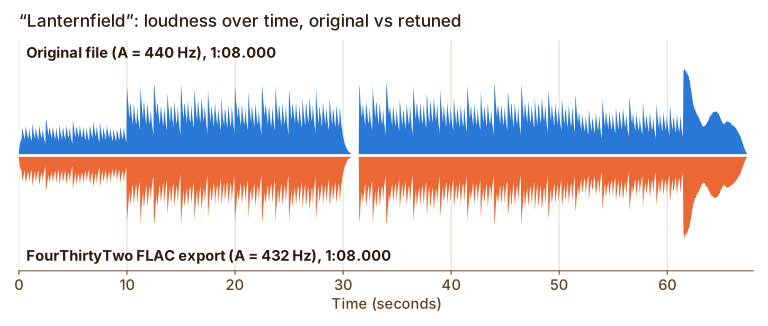
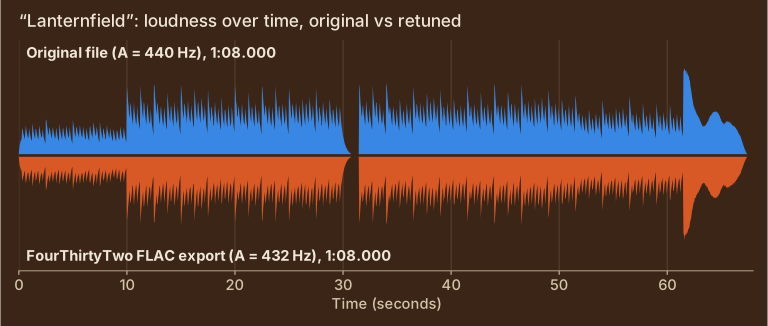
Show the measured values
| Timing offset between the two envelopes | 0 ms |
| Envelope correlation (1.0 = identical shape) | 0.997 |
| Length, original → export | 1:08.000 → 1:08.000 |
Step by step
-
Import a song you know well
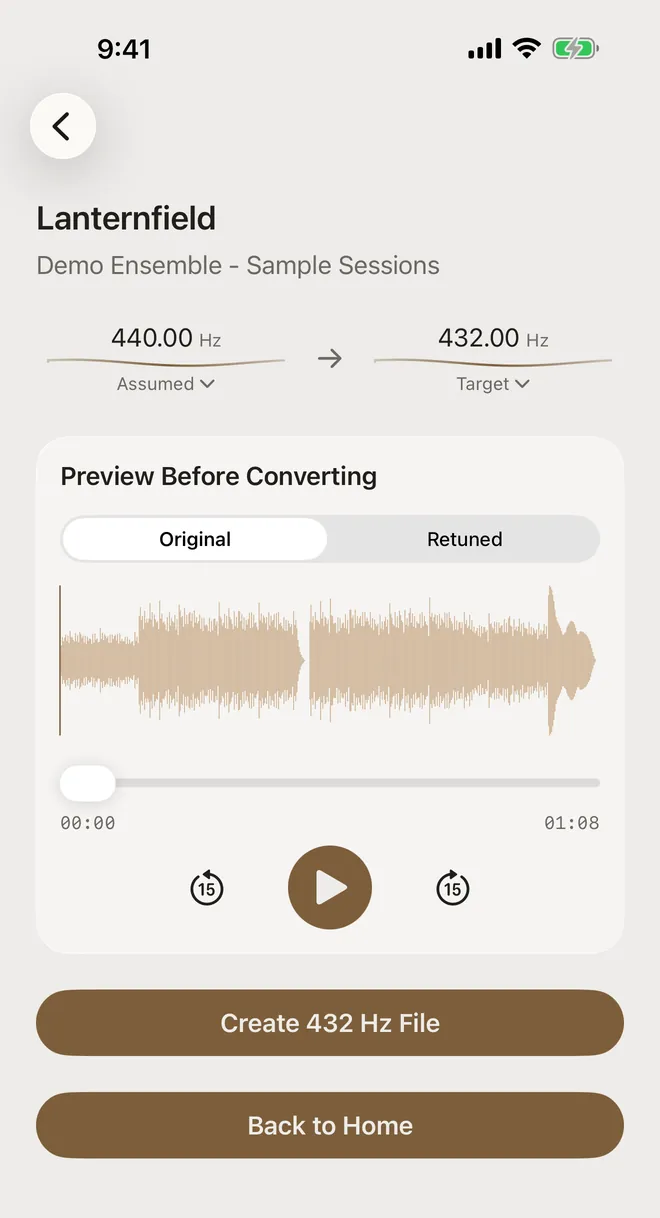
Choose something familiar with sustained notes: vocals, piano or strings make pitch differences easier to hear than drums. After importing (how to import), the convert screen shows the Preview Before Converting card with the waveform, a scrubber and play controls.
-
Play and switch
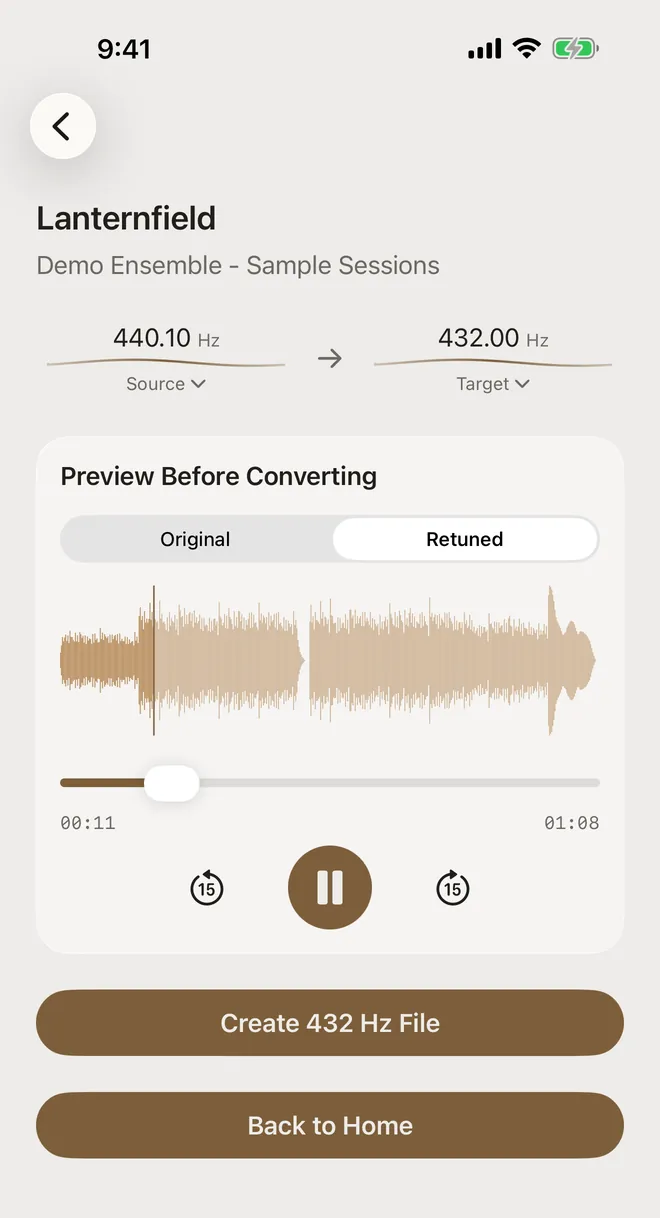
Press play, then tap Retuned. The same passage keeps playing, now at 432 Hz. Tap Original to go back. The switch is instant and nothing is written to a file yet.
-
Try other targets
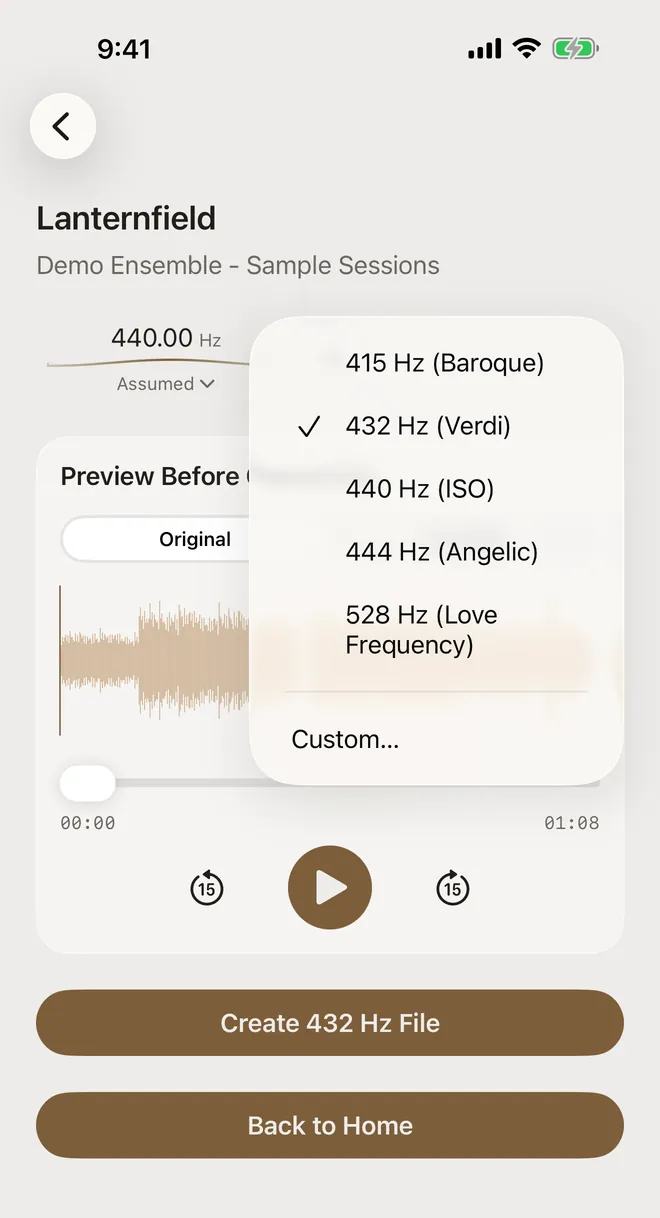
Tap the Target frequency and choose 415, 440, 444 or 528 Hz, or Custom…. The retuned preview follows your choice immediately, so you can compare several tunings against the original in one listening session.
-
Create the version you prefer
When you’ve decided, tap Create 432 Hz File (the button shows whichever target you picked). If you’d rather keep the original, there’s nothing to undo because nothing has been written.
How to make it a fair test
- Loop the same 10–20 seconds. Use the scrubber or the 15-second skip-back button so you’re comparing like with like.
- Use headphones or a quiet room. Small pitch differences are easier to judge without background noise.
- Switch several times. The first switch always sounds “different”. Preferences often settle after a few rounds.
- Try it blind. Ask someone else to tap Original or Retuned without telling you which, and see whether you can pick them out and which you prefer.
- Check the source first. If the recording isn’t really at 440 Hz, the comparison won’t be 440 vs 432. Use Auto-detect to confirm.
If the Original/Retuned control is greyed out, the source and target are the same, so there’s no difference to preview. Pick a different target or check the source tuning.
About the audio in these screenshots. The tracks (“Lanternfield”, “Quiet Meridian” and friends by “Demo Ensemble”) are short original pieces synthesized for these guides and saved as ordinary MP3, M4A, WAV and FLAC files. They’re part of our tuning test set, which you can download. Everything else is real: the app imported them through the normal Files picker, analyzed and converted them on the device, and the charts are measured from the exact files it exported.
A preference, not a prescription
There’s no objectively better concert pitch. 440 Hz is today’s common standard, and 432 Hz is an alternative some listeners enjoy. FourThirtyTwo doesn’t claim that any tuning has health or other benefits. It gives you an accurate, side-by-side way to hear both and keep the one you like.
Try it on your own music
FourThirtyTwo is a one-time purchase for iPhone and iPad. No subscription, no account, and your audio never leaves your device.


Requires iOS or iPadOS 18 or later.
More guides
- Convert music to 432 Hz on iPhone and iPadThe complete walkthrough: import a song, preview it, create the 432 Hz file, and keep or export it.
- Change a song from 440 Hz to 432 HzCheck a recording’s real tuning with Auto-detect, then set the exact source and target pitch.
- Batch convert an album or folder to 432 HzQueue many files or a ZIP, auto-detect each track’s tuning, and convert them in one pass.
- Export 432 Hz music as FLAC, ALAC, or MP3Pick the right format (MP3, AAC, ALAC, FLAC or WAV) and save it to Files or share it.
- Baroque pitch and 415 Hz recordingsWhy Auto-detect can’t tell 415 Hz from 440 Hz, and how to pick the right reading before converting.