Coming Fall 2026 · iPhone and iPad
Retune audio to 432 Hz.
Detect a track's source tuning, compare original and retuned playback live, then create a pitch-shifted copy entirely on-device. One purchase. No subscriptions, accounts, ads, analytics, or uploads.
Built around the way you listen
From a single track to a full batch, every step stays visible and under your control.
How it works
Three steps from an audio track to a retuned copy. Nothing leaves your device.
-
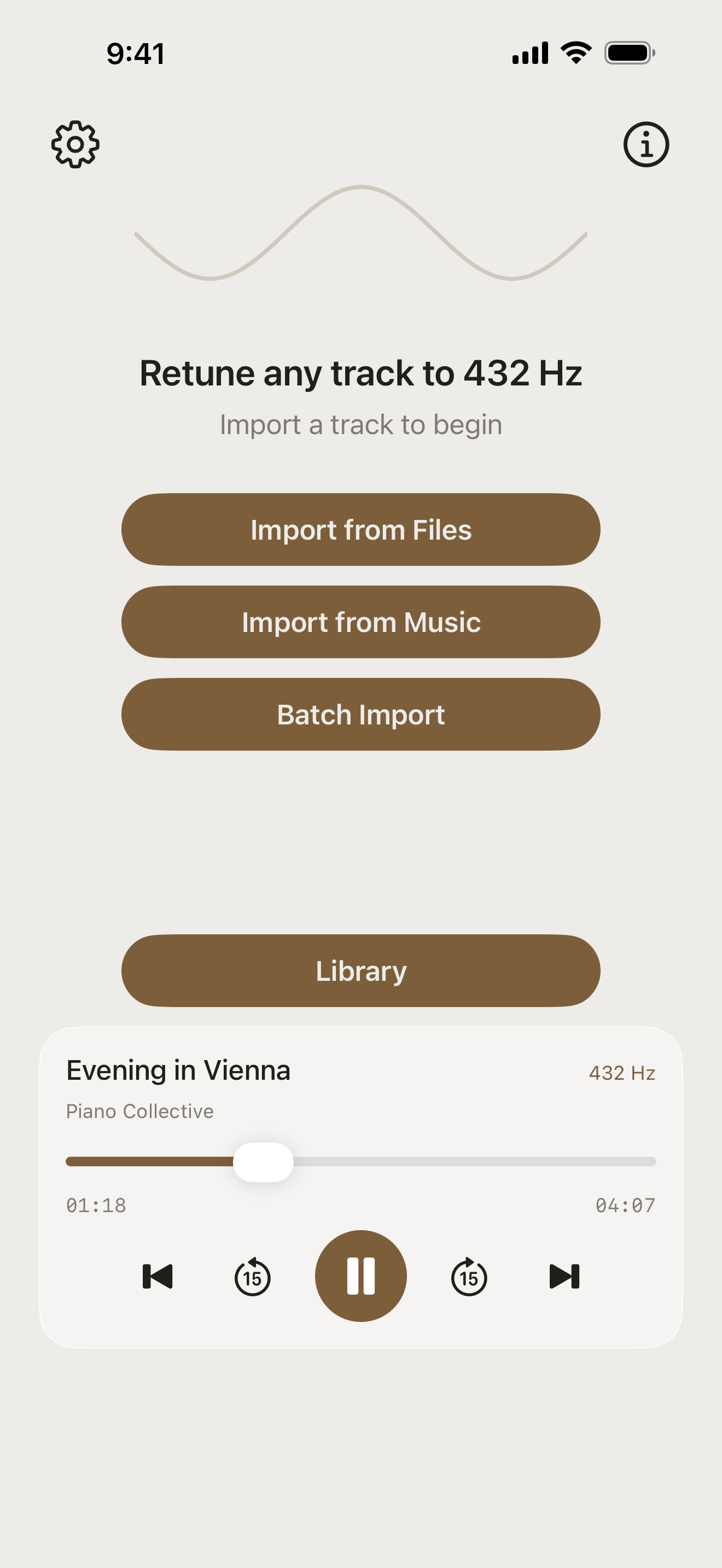
Import
Pick a compatible file from the Files app or a downloaded, non-DRM song from your Music library. Select multiple files for batch mode.
-
Listen & choose
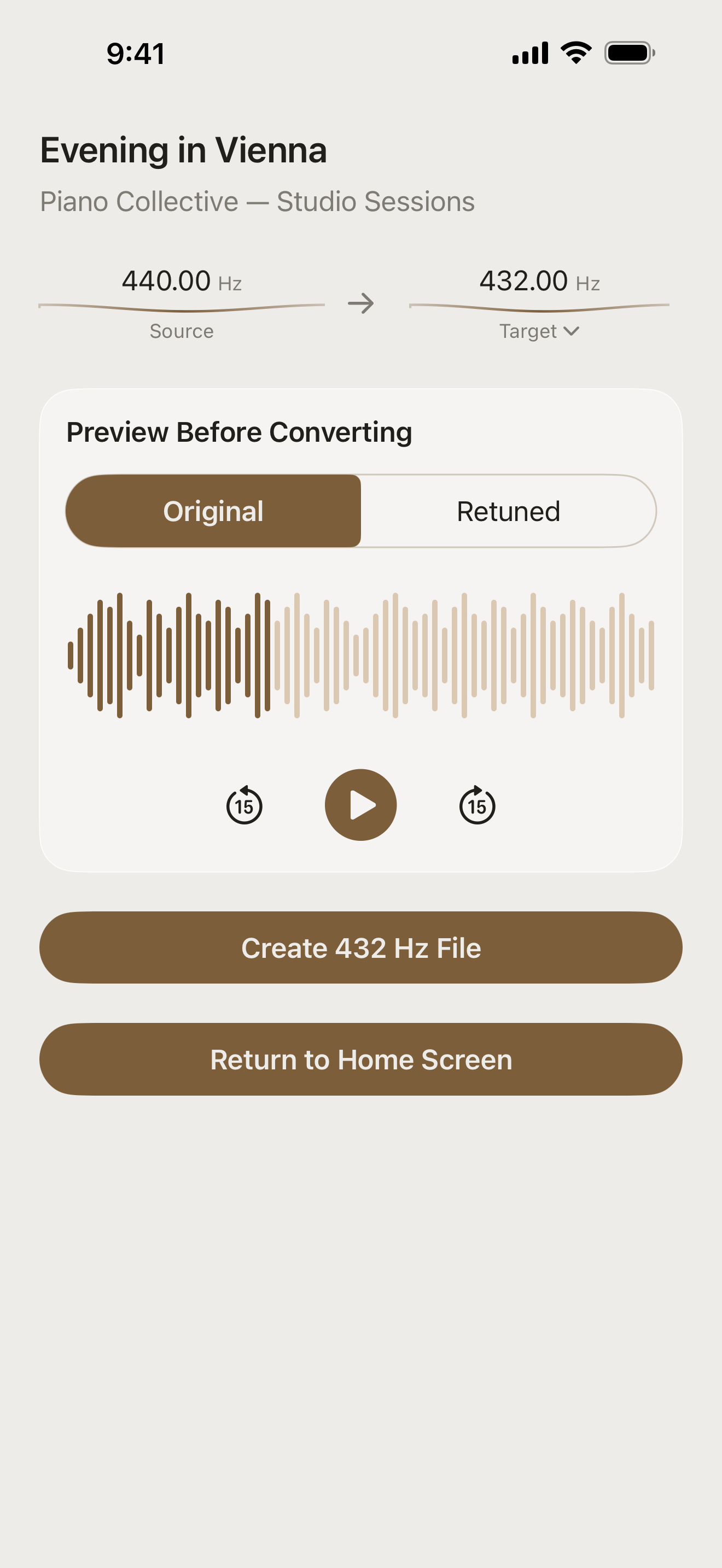
Start from the standard 440 Hz assumption, run on-device Auto-detect when you want it, or enter the source tuning yourself. Then compare original and retuned playback.
-
Save or share
Render the retuned copy in seconds, keep it in the in-app library, save it to Files, or send it anywhere with the share sheet.
Features
A focused audio tool that takes the entire workflow seriously—from source analysis to an export you can use anywhere.
-
Source tuning, detected
Every import starts with an explicit 440 Hz assumption. Run on-device FFT Auto-detect when you want it, re-detect, or enter the source tuning yourself.
-
Any reference pitch
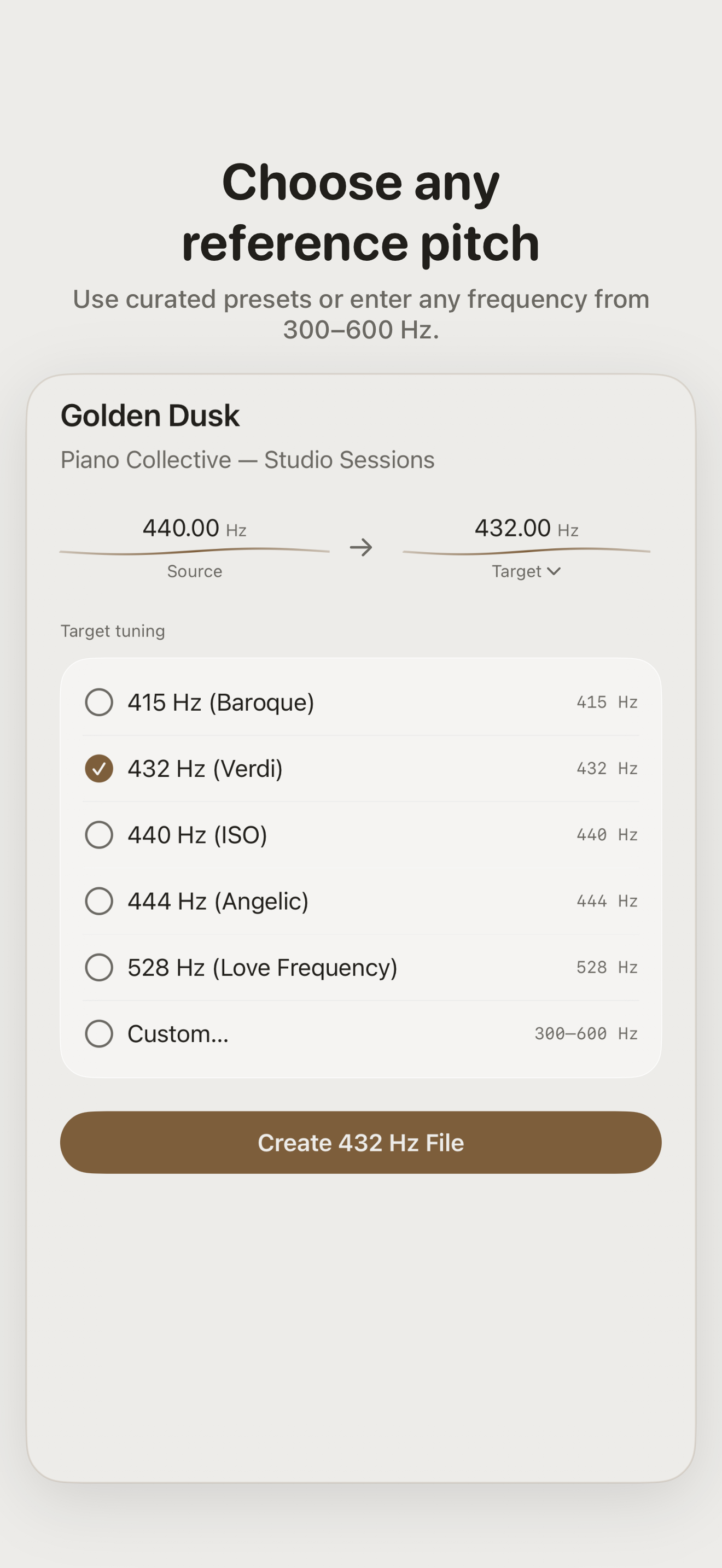
432 Hz by default, with presets for Baroque 415, ISO 440, 444, and 528 — or type any custom frequency from 300 to 600 Hz.
-
Live A/B preview
Flip between the original and the retuned version while the music plays. Scrub the waveform and decide with your ears before a file is written.
-
Batch convert
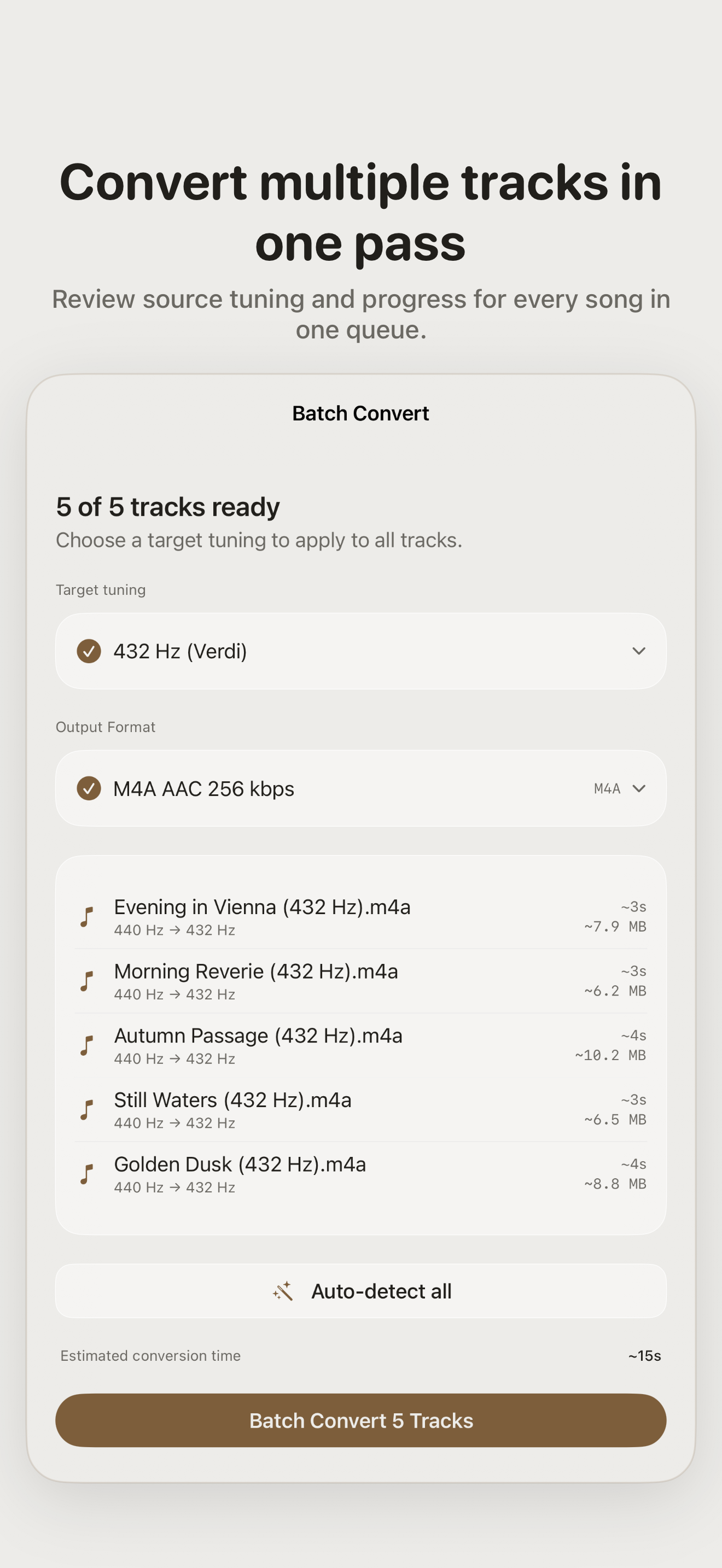
Process a multi-file selection in one queue. Every track gets its own source-tuning control, progress, estimate, and clean "(432 Hz)" filename.
-
True pitch shift
Phase-vocoder processing keeps timing intact. It's the same performance at a different pitch — never slowed down or sped up.
-
Built-in library
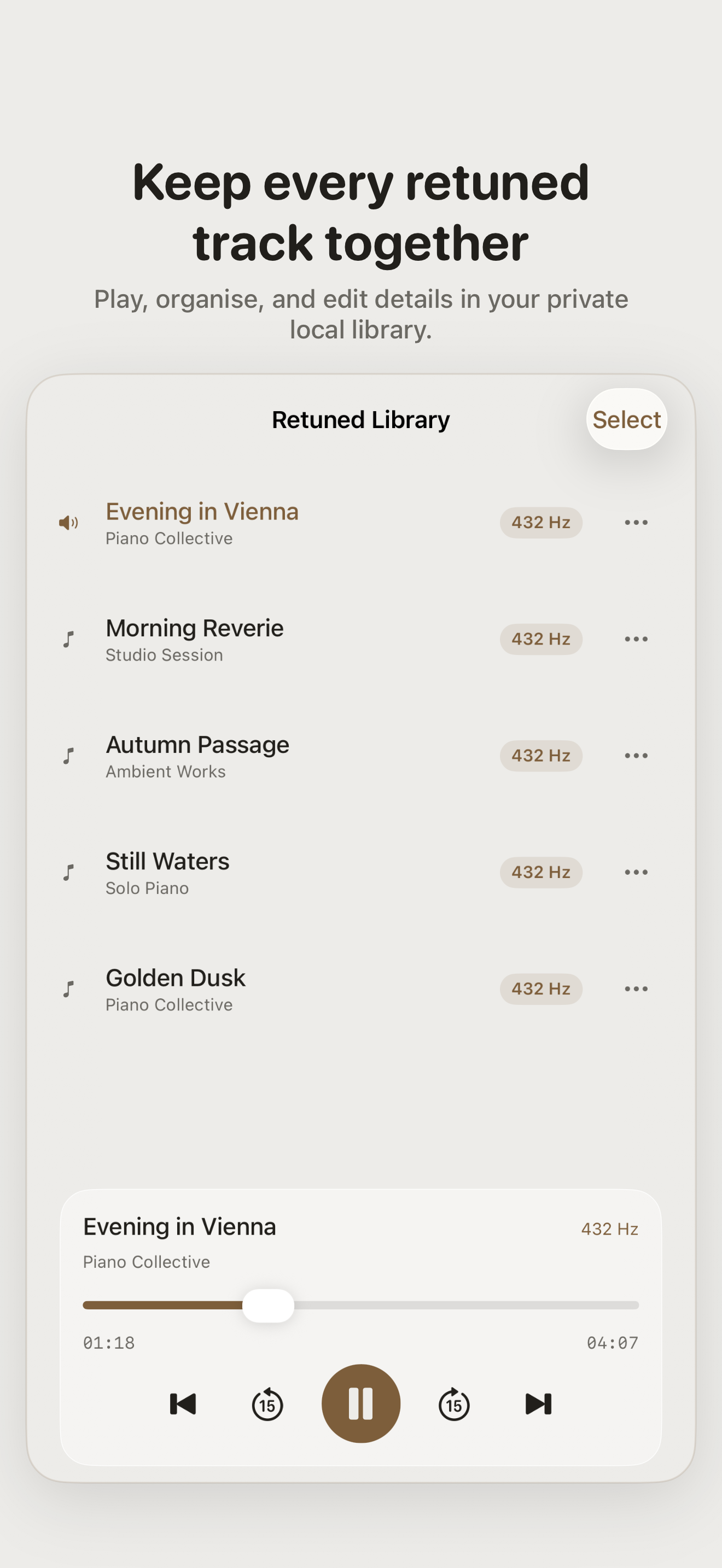
Converted tracks live in an in-app library with playback, editable titles and artist tags, and one-tap export.
-
Export your way
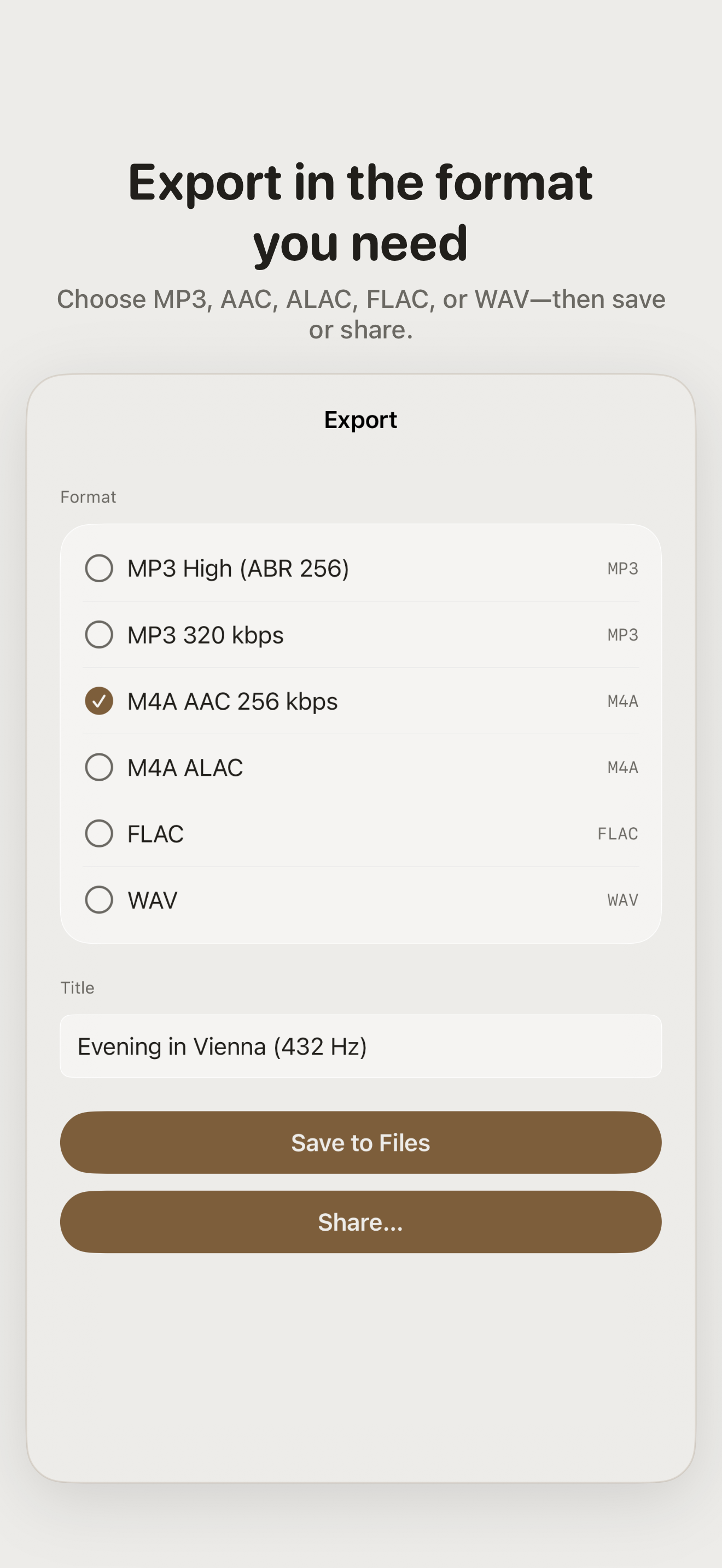
MP3, M4A AAC, lossless ALAC, FLAC, or WAV — saved to Files or shared through the system share sheet.
-
Metadata-aware export
Supported title, artist, album, comment, and artwork metadata stays with MP3 and M4A exports, ready for the next app in your workflow.
-
Accessible by design
Supports VoiceOver, Voice Control, Larger Text, sufficient contrast, Differentiate Without Color Alone, Dark Interface, and Reduced Motion.
-
100% on-device
Built on AVFoundation and Accelerate. No backend, accounts, or analytics—your audio never leaves your iPhone or iPad.
Frequently Asked Questions
What's the deal with 432 Hz?
440 Hz is the modern standard for concert pitch. Some listeners prefer 432 Hz, which is slightly lower, for how it sounds. The app doesn't take a side; it just makes the conversion easy.
Does it work with DRM-protected songs?
No. iOS does not let apps modify DRM-protected Apple Music subscription tracks. Ordinary audio files, your own recordings, and downloaded Music library tracks work when iOS exposes a readable, non-DRM file.
Will it change the speed of the song?
No. The app uses phase-vocoder pitch shifting, which changes pitch independently of tempo. The retuned track has the same length and timing as the original.
Where do exported files go?
Wherever you pick. You can save back to the Files app, send through the share sheet, or open the result directly in another app. Converted tracks can also stay in the app's own library.
Does the app collect any data?
No. There's no backend and no analytics SDK. See the privacy policy if you want the long version.
Is there a subscription?
No. FourThirtyTwo is a one-time purchase with no subscription and no in-app purchase required to unlock its audio tools.
What audio formats are supported?
Import: MP3, AAC/M4A, WAV, AIFF, CAF, FLAC, and more — anything iOS can decode, up to 500 MB per file. Export: MP3 (256 kbps or a custom bitrate), M4A AAC, lossless M4A ALAC, FLAC, or WAV.
Can I convert to something other than 432 Hz?
Yes. There are presets for 415 Hz (Baroque), 432, 440, 444, and 528 Hz, and a custom option that accepts any A4 frequency between 300 and 600 Hz. You can also correct the detected source tuning by hand.
What does it need to run?
An iPhone or iPad on iOS/iPadOS 18.0 or later. FourThirtyTwo is a native app and all audio processing happens locally, so there's no account to create and it works fully offline.
When will FourThirtyTwo be available?
FourThirtyTwo is planned for release on the App Store in Fall 2026 for iPhone and iPad.